
Buying guides
Television size: measure the stand, wall and viewing arrangement
A television's screen diagonal is only one part of its fit.
Published Information checked
A television's screen diagonal is only one part of its fit. Start with the unit or wall where it will sit, the seats used most often and the equipment around it. A larger picture can be appealing, but a television that overhangs its furniture or blocks a window creates a different problem. Measure the full arrangement before deciding which screen sizes belong on the shortlist.
Make three separate measurements
Record the available width and height, the depth of the supporting furniture and the distance from the main seats. Look up the television's full dimensions, both with and without its stand. Samsung's size guidance specifically draws attention to the real dimensions and the package, not simply the diagonal label. Check whether the feet sit near the edges or on a central base; two screens of the same advertised size can need different supporting furniture.
Include everything beneath the picture
Place a paper outline where the soundbar or other equipment will go. Check whether it would obscure the lower screen or the remote receiver. Record the space needed for cables at the back and the manufacturer's ventilation instructions. A television squeezed into an alcove may need a different arrangement from the one shown on a product page. Treat any required clearances as model-specific requirements rather than inventing a universal gap.
Consider the seats you actually use
Mark the normal viewing positions, including seats away from the centre. If possible, view a similar display from a comparable distance and angle. Consider subtitles, ordinary broadcasts and the material you watch most, not just a spectacular demonstration clip. Bright windows and reflections can change how the room feels during the day. Screen technology and finish deserve attention, but there is no single diagonal that suits every room and household.

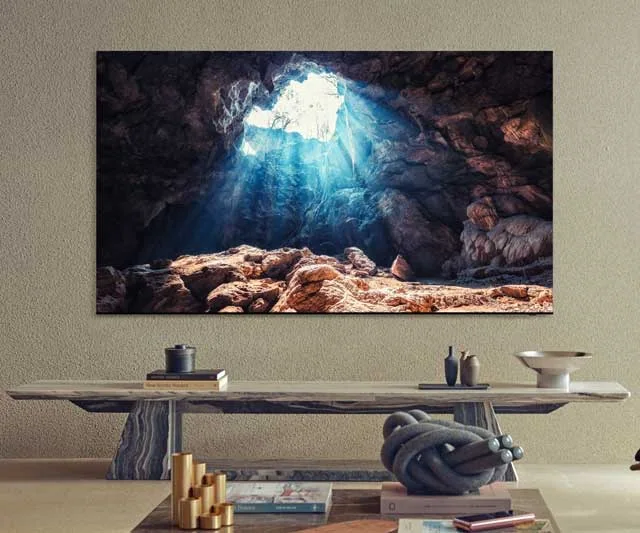
Plan a wall-mounted purchase completely
Check the television's weight, mounting pattern and the bracket manufacturer's compatibility requirements. Establish where cables will run and where connected equipment will sit. Ask a suitable installer to assess the wall and installation rather than treating a matching bracket pattern as proof that the entire job is suitable. Compare the television-only price with any mounting, installation and cable costs separately. This keeps the product choice and the installation decision understandable.
An alcove example
Suppose a shopper wants a larger television in an existing cabinet. Candidate A has a narrow central stand; candidate B uses widely spaced feet. Both screens fit within the nominal width, but only one stand arrangement fits the furniture as measured. Before choosing A, check the cabinet's load suitability and the full product dimensions as well. The screen diagonal alone would have hidden the real deciding factor.
Finish with access and delivery
Measure the route from the entrance to the room and compare the packaged size where it is published. Check the retailer's delivery service and what assistance is included. Confirm the exact model suffix, supplied stand and any separately sold bracket before paying. Keep the packaging until the installation and initial checks are complete. A successful size choice is one that works with the furniture, the connected equipment and the people watching, rather than a number selected in isolation.
Your comparison worksheet
Keep one short record for each candidate. Resolve the details below from the current listing or a direct supplier answer before treating the options as equivalent. Leave an uncertain point clearly marked rather than filling it with an assumption.
- Dimensions: Overall television size with stand, plus the package and route
- Furniture: Foot spacing, supported arrangement and room for a separate soundbar
- Viewing: Main seats, side angles and the material normally watched
- Installation: Confirmed bracket, cable route and the selected installer service
- Identity: Exact model suffix, included stand and separately purchased accessories
Continue with the retailer information
Explore Richer Sounds, Samsung, LG. These profiles provide a route to the official shops and their published service information. Use the exact product or order details from your worksheet when following those links, and confirm the current selected option before paying.
For more relevant retailers, browse our electronics shops directory. Compare businesses that genuinely serve this purchase, keeping differences in products and shopping arrangements visible rather than treating every retailer as interchangeable.
The official source below provides further product or ordering information. Read the details relevant to your selected item, and retain any supplier answer that materially changes the comparison.
Sources and checks
Continue reading
Buying guides
Soundbars: check the television connection and the whole speaker bundle
A soundbar purchase should begin behind the television.
Read the guideBuying guides
A home-office monitor: match the screen to your laptop and desk
A monitor should make your actual work easier to arrange.
Read the guideBuying guides
Fridge-freezer shopping: the door swing matters as much as capacity
A fridge-freezer can fit into an opening and still be awkward to use.
Read the guideEXPLORE THE DIRECTORY
Related shop profiles

Richer Sounds
Richer Sounds specialises in televisions, hi-fi and home cinema, with local stores and demonstration spaces. It suits shoppers who want to compare complete entertainment systems as well as individual components.

Samsung
Samsung’s UK website is a direct shopping and support route for the brand’s smartphones, tablets, computers, wearables, televisions, audio and home appliances.

LG
LG’s UK website sells the brand’s televisions, audio products, monitors, laptops and domestic appliances, with buying guides and product support alongside the shop.