
Buying guides
USB-C charging: compare the port, cable and power supply together
USB-C describes a connector shape, but the purchase usually involves three different products: the device, the charger and the cable.
Published Information checked
USB-C describes a connector shape, but the purchase usually involves three different products: the device, the charger and the cable. Start with the device's charging requirements and work outwards. A compact charger can be a useful travel purchase, yet its headline wattage does not tell you what every socket will provide when several devices are attached at once.
Find the device requirements
Look up the exact laptop, tablet or phone model in the manufacturer's documentation. Record the charging input information and any recommended adapter specification. If you are replacing a supplied charger, photograph its label for your own comparison. Do not choose solely by matching a familiar brand or a plug that appears to fit. Where the manufacturer's guidance requires a particular charging arrangement, use that requirement as the first filter for your shortlist.
Read the output table
Multi-port chargers often publish different outputs for different combinations of connected devices. Read those combinations rather than dividing the headline power equally between sockets. Identify which port should serve the laptop and what changes when a phone is added. Compare the required input with the available output in that arrangement. Anker's official range provides examples of chargers with different port counts and stated power ratings; the individual product specification is the place to confirm the configuration you intend to use.
Treat the cable as its own specification
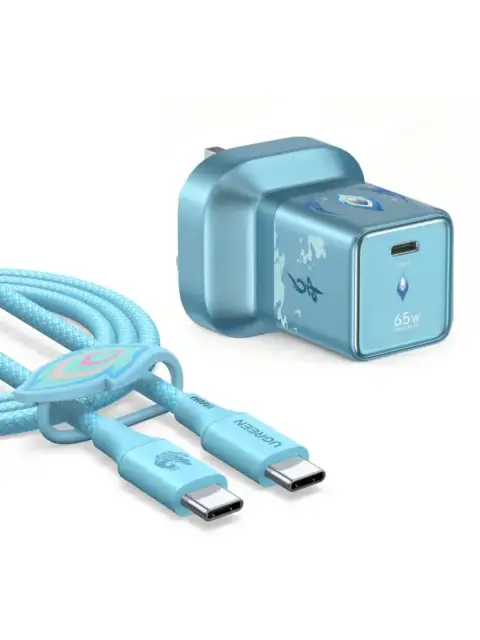
Check whether a cable is intended for the charging power you require and whether data or display features matter as well. Length, connector orientation and the equipment manufacturer's compatibility guidance can all affect the choice. A cable advertised primarily for charging should not be assumed to support a particular external display arrangement. Keep charging, file transfer and video as separate lines in your notes, even if one suitable cable can meet all three needs.
Plan the sockets and travel bag
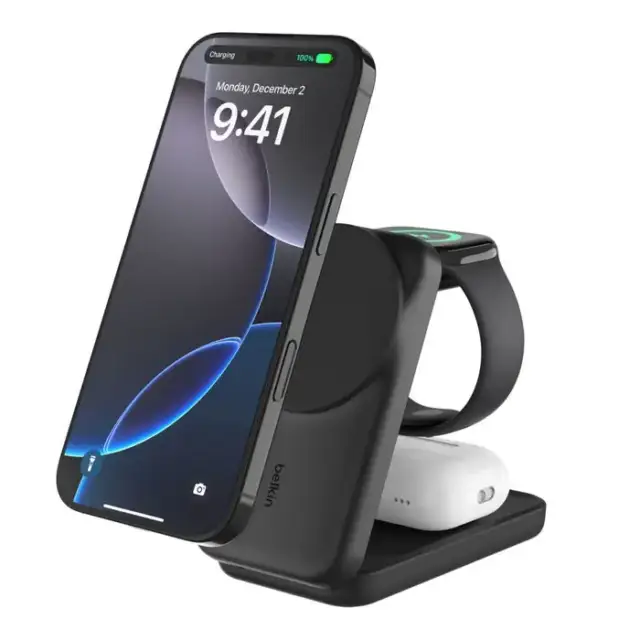
Count the devices you actually charge together. A bedside arrangement may prioritise cable length and access, while a commuting kit may prioritise weight and a single wall socket. Check the physical shape of the charger against nearby sockets and furniture. If travelling, verify the destination plug arrangement and the product's stated input requirements. Buying a smaller block is less useful when the final kit still needs several extra adapters or leaves your main device without its required cable.
A shared-charger example
Imagine a laptop that needs one charging arrangement and a phone that needs another. Candidate A has enough stated power on a single port but changes its allocation when the second port is used. Candidate B maintains the required laptop output in the published two-device arrangement. Compare that documented combination, then add compatible cables to both baskets. The example does not establish that any particular wattage suits every laptop; it shows why simultaneous use needs its own check.
Keep the final combination identifiable
Save the charger model, cable specification and the relevant output table with the order information. Label travel cables if several similar ones have different capabilities. On arrival, check that the model and supplied contents match your purchase and follow the manufacturer's instructions for use. If the device reports an unsuitable charging arrangement, resolve that with the equipment or charger manufacturer rather than assuming every USB-C product is interchangeable. A useful replacement is a documented combination of compatible parts, not simply a matching connector.
Separate the main comparison points
| Record | What it establishes |
|---|---|
| Device | Manufacturer charging requirements |
| Charger | Output for the intended combination of occupied ports |
| Cable | Supported charging capability and any required extra functions |
Your comparison worksheet
Keep one short record for each candidate. Resolve the details below from the current listing or a direct supplier answer before treating the options as equivalent. Leave an uncertain point clearly marked rather than filling it with an assumption.
- Device: Exact model and the manufacturer's stated charging input requirements
- Charger: Output on the selected port in the intended multi-device arrangement
- Cable: Documented charging capability, required length and any separate data requirements
- Travel: Plug arrangement, complete kit weight and the sockets available during use
- Order: Charger version, supplied components and compatible cables identified before checkout
Continue with the retailer information
Explore Anker, UGREEN, Belkin. These profiles provide a route to the official shops and their published service information. Use the exact product or order details from your worksheet when following those links, and confirm the current selected option before paying.
For more relevant retailers, browse our electronics shops directory. Compare businesses that genuinely serve this purchase, keeping differences in products and shopping arrangements visible rather than treating every retailer as interchangeable.
The official source below provides further product or ordering information. Read the details relevant to your selected item, and retain any supplier answer that materially changes the comparison.
Sources and checks
Continue reading
Buying guides
A home-office monitor: match the screen to your laptop and desk
A monitor should make your actual work easier to arrange.
Read the guide
Buying guides
Choose a laptop for study: software, weight and working space
A useful study laptop starts with the course, not a processor badge.
Read the guide
Buying guides
Smart doorbells: power, mounting and recording arrangements
A smart doorbell should be chosen around the entrance and the way you want to use recordings.
Read the guideEXPLORE THE DIRECTORY
Related shop profiles

Anker
Anker’s UK shop now brings together charging accessories with soundcore audio and eufy smart-home products.

UGREEN
UGREEN’s UK-facing shop sells charging accessories, cables, hubs, docking equipment and other technology ranges.

Belkin
Belkin’s UK shop sells charging equipment, power banks, connectivity accessories and related products for phones, tablets and computers.