
Buying guides
Choose a laptop for study: software, weight and working space
A useful study laptop starts with the course, not a processor badge.
Published Information checked
A useful study laptop starts with the course, not a processor badge. Write down the software you must run, the places you will work and the equipment you already own. A machine that handles essays comfortably may still be unsuitable for a specialist design application. Conversely, a heavy workstation can be an awkward choice for a daily journey when most work happens in a browser.
Ask for the course requirements first
Get the current requirements from the course provider or software publisher. Distinguish a supported operating system from a suggested specification. List any applications needed for assessment, including examination software, rather than assuming a tablet version is equivalent. If a department recommends particular hardware, ask whether students use it locally or access a remote computer. That answer can change the laptop you actually need to carry.
Compare complete configurations
Retailers can sell several configurations under one family name. Record the processor model, memory, storage capacity, display resolution and operating system for each candidate. Keep those details in separate columns. A larger storage drive does not compensate for insufficient memory, and a similar product photograph does not establish the same specification. Currys' laptop guide is a useful starting point for separating use, platform and hardware choices; confirm the exact configuration on the final product page.
Rehearse a day away from home
Put your current charger, notebook and other study essentials in your bag, then consider the additional laptop weight. Compare the listed machine weight and charger separately where available. Check whether the advertised battery estimate describes a workload resembling yours. Video calls, bright screens and specialist software can create different demands. Plan where charging is possible rather than treating a manufacturer's maximum figure as a promise for every study day.
Look at the workspace around the screen
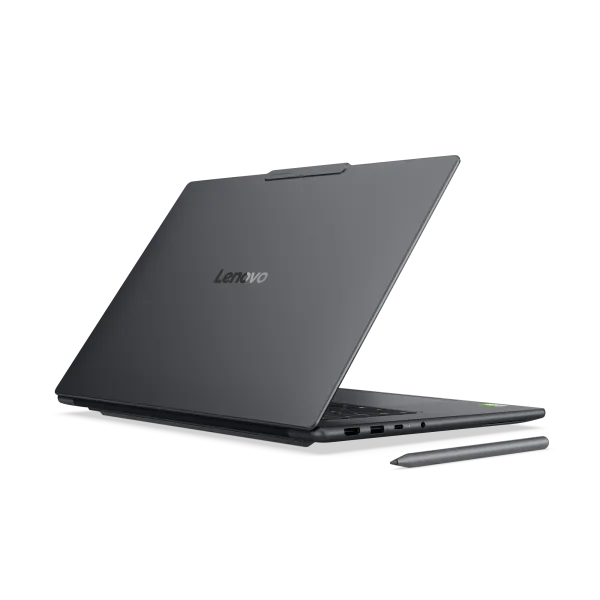
Try to view a document and reference material side by side on a similar screen. Readable text, useful keyboard spacing and a comfortable pointing device matter more than a screen diagonal alone. Note whether your accommodation desk has room for an external keyboard or monitor. If you intend to connect a second display, check the laptop's video output specification, not just the shape of the socket. Include the required cable or adapter in the order plan.
An example shortlist
Imagine a student who writes reports, joins seminars online and occasionally works with a large spreadsheet. Candidate A meets the published software requirements and includes the necessary ports. Candidate B has a higher resolution screen but needs a separate adapter and is heavier. Neither automatically wins. Record which benefits matter during the actual week, then calculate the complete purchase with accessories. This example is a method for comparing candidates, not a tested ranking of particular machines.
Questions before you choose
Confirm the keyboard layout, webcam arrangement, microphone facilities and whether the software you need is included or separately licensed. Ask whether memory or storage can be changed later if that matters to your course. Check the supplied charger, warranty information and retailer support route. For a machine shared between home and campus, decide how important files will be backed up and how you will keep access to your accounts if the laptop is unavailable. Save the complete configuration with the order confirmation so that the delivered unit can be checked against the specification you selected.
Your comparison worksheet
Keep one short record for each candidate. Resolve the details below from the current listing or a direct supplier answer before treating the options as equivalent. Leave an uncertain point clearly marked rather than filling it with an assumption.
- Applications: Current course requirements, supported platform and any specialist software needed
- Configuration: Exact processor, memory, storage and operating-system version for each candidate
- Portability: Machine and charger weight together with the daily bag contents
- Workspace: Screen arrangement, keyboard layout and any separate monitor connection required
- Ownership: Supplied charger, software purchase, backup arrangement and retailer support route
Continue with the retailer information
Explore Currys, Lenovo, HP. These profiles provide a route to the official shops and their published service information. Use the exact product or order details from your worksheet when following those links, and confirm the current selected option before paying.
For more relevant retailers, browse our electronics shops directory. Compare businesses that genuinely serve this purchase, keeping differences in products and shopping arrangements visible rather than treating every retailer as interchangeable.
The official source below provides further product or ordering information. Read the details relevant to your selected item, and retain any supplier answer that materially changes the comparison.
Sources and checks
Continue reading
Buying guides
A home-office monitor: match the screen to your laptop and desk
A monitor should make your actual work easier to arrange.
Read the guide
Buying guides
Refurbished electronics: read beyond the condition grade
Compare the exact specification, refurbishment promise, battery information and included accessories. Check seller-specific grades, software support and aftercare before buying refurbished tech.
Read the guide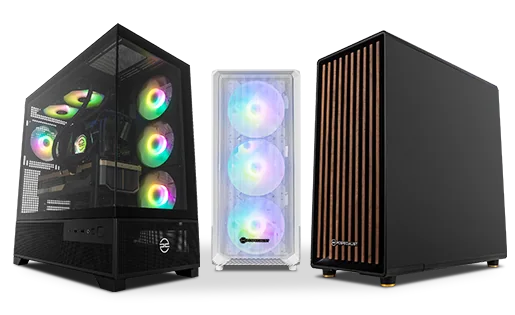
Buying guides
A desktop PC shortlist: compare the complete specification
Desktop PCs with similar cases can contain very different components.
Read the guideEXPLORE THE DIRECTORY
Related shop profiles

Currys
Currys brings televisions, computers and kitchen appliances together with UK store collection and optional installation services. Compare the exact model and the complete delivered basket before choosing how to receive your purchase.

Lenovo
Lenovo’s UK store sells laptops, desktops, tablets, monitors, accessories and related support services.

HP
HP Store UK is the brand’s direct shopping website for laptops, desktops, workstations, monitors, printers, supplies and accessories.