
Buying guides
MIDI controller or keyboard with sounds: choose the right route
Understand MIDI and audio, and check the software, sound source and connections needed before buying a controller keyboard.
Published Information checked
A controller keyboard can be useful for making music on a computer, but its role differs from an instrument that produces sound by itself. Before buying, draw the route from your hands to the sound you will hear. Check what the keyboard sends, what generates sound and how that sound reaches headphones or speakers.
Separate MIDI information from audio
MIDI describes performance and control information rather than an audio recording. A device can send notes or commands to another instrument or suitable software without supplying its own complete sound system. Read whether the product includes sound generation, speakers or only controller functions. Do not treat the presence of a USB port as proof of any particular audio capability.
Check the receiving setup
List the computer, tablet, software or hardware instrument that will receive the controller’s output. Read the manufacturer’s compatibility and connection instructions for that exact arrangement. Operating-system requirements, power arrangements and available ports matter. A supplied software offer may require activation and can have conditions separate from the physical keyboard, so read those details before relying on it.
Choose controls for actual tasks
Key count, key dimensions, pads, knobs and transport controls should support the way you intend to work. A compact controller can be convenient for a desk but limiting for a particular playing part. More controls do not automatically improve the process if the software does not use them as expected. Look for clear setup instructions for the intended application rather than counting buttons.
Draw a four-part signal plan
Write four boxes on a page: controller, receiving sound source, audio-output device and headphones or speakers. Name the actual equipment or software intended for each role and use the manufacturer’s instructions to connect the plan. One product may perform several roles, but those functions need to be documented rather than assumed. If a box is still blank, the purchase brief is incomplete. This simple plan helps distinguish a missing sound source from a listening or connection problem before money is spent on an additional keyboard or an unnecessary adapter.
A worked shopping example
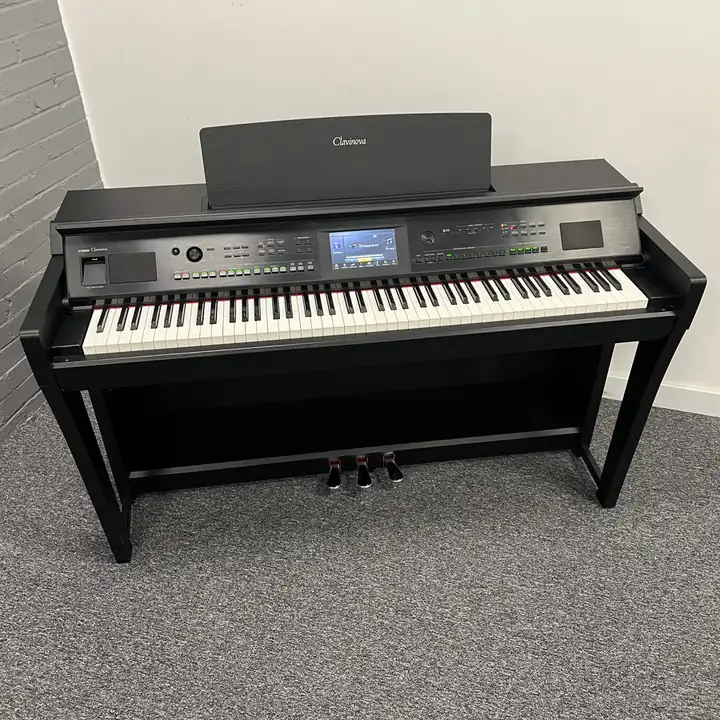
A beginner wants to play piano sounds through a laptop. Compare a controller-based setup with an instrument that has its own sounds, then list the software and listening route needed for each. Confirm compatibility and power before ordering. The controller may suit the desk well, but only when the separate sound-generating and audio-output parts of the plan are understood.
Details to compare side by side
| Detail | What to record | Why it changes the choice |
|---|---|---|
| Role | Controller functions and any built-in sound generation | Establishes what the keyboard does by itself |
| Connection | Supported receiving device and protocol | Determines whether the planned setup can communicate |
| Listening | Sound source and audio-output route | Shows how the player will actually hear the result |
Before placing the order
- Confirm whether the device produces sounds itself or sends performance information to another sound source.
- Check the exact receiving device, software, operating system, ports and power requirements.
- Read software activation conditions and choose key range and controls for the actual music-making tasks.
Music shopping works best when the intended use is clear: learning, rehearsing, recording, performing or collecting. Think about the rest of the setup as well as the item itself. A connector, accessory, edition or physical fit can decide whether a purchase is useful. Manufacturer instructions and an exact model reference are more reliable than assuming that similar-looking equipment is interchangeable.
Will connecting a MIDI keyboard always produce sound?
The complete setup needs a suitable sound source and an audio route as well as the connection. Follow the controller and software instructions for the actual devices involved. If a product has no built-in sounds or speakers, those functions must be supplied elsewhere in the setup rather than inferred from the keyboard’s appearance.
Find relevant specialist shops
Use the profiles for Andertons, Thomann, Absolute Music to reach their official websites and check the exact listing. These are relevant places to explore, rather than a claim that every shop has the same item in stock. Browse the wider music & instruments directory for more specialists.
Sources and checks
Continue reading
Buying guides
Digital piano or keyboard: compare the playing action
Choose a digital piano or portable keyboard by the intended learning goal, key action, physical format and practical home setup.
Read the guideBuying guides
Buying a practice guitar amp: home functions and listening options
Choose a practice amplifier around the intended guitar, listening route, controls and complete home setup rather than wattage alone.
Read the guideBuying guides
Choosing an audio interface: count the inputs you will use
Plan an audio interface around simultaneous microphones, instruments and line sources, with a clear check of connection types and computer support.
Read the guideEXPLORE THE DIRECTORY
Related shop profiles

Andertons
Explore Andertons for guitars, keyboards, drums and studio gear with store or warehouse stock. Compare product details, UK delivery and the published returns route.

Thomann
Explore Thomann for musical instruments, studio equipment and UK-bound international orders. Compare product details, UK delivery and the published returns route.

Absolute Music
Explore Absolute Music for musical instruments, recording equipment and practical setup choices. Compare product details, UK delivery and the published returns route.