
Buying guides
Action-camera bundles: separate the essentials from spare mounts
Action-camera bundles often look generous because several small accessories appear together.
Published Information checked
Action-camera bundles often look generous because several small accessories appear together. Start by describing the recording you intend to make: a handheld walk, a desk demonstration or a camera attached to a particular item. Then identify the mounting and power arrangement needed for that activity. A collection of spare mounts is not automatically better value than a smaller kit with the right components.
Identify the exact camera
Copy the generation, model and recording features from the chosen listing. Similar brand names can include ordinary cameras, panoramic models and products needing different accessories. Check the manufacturer's compatibility list for each mount, battery and enclosure. An accessory made for one camera body should not be assumed to fit another because the photographs look similar. Keep any required adapter or frame in the component list.
Separate included parts from examples
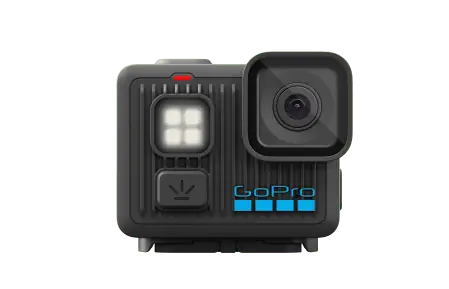
Read the written box contents alongside the photographs. A lifestyle image can show a separately sold grip, case or microphone. Count batteries, charging accessories and mounts individually. Check whether the bundle uses the same camera as a body-only listing or a different variant. GoPro's official range, for example, includes several kinds of accessories with specific compatibility descriptions; those descriptions matter more than the total number of items pictured.
Plan power and storage
Confirm the battery and charging arrangements for the exact model. Read the manufacturer's memory-card requirements and whether a card is included. If you plan long recording sessions, check the documented operating and power conditions rather than dividing a headline battery estimate into a filming schedule. Include the practical task of copying files afterwards and the storage space needed for the recording settings you select.
Check the mounting job
Describe what the camera will attach to and ask whether the proposed accessory is intended for that use. Follow the manufacturer's instructions and limitations for securing it. A generic adhesive mount is not evidence of suitability for every surface or activity. Consider access to the controls, connectors and battery compartment once mounted. An apparently convenient position may make ordinary charging or operation awkward.
A useful bundle comparison
Imagine a shopper who wants handheld travel clips. Bundle A adds several helmet mounts; bundle B includes the intended handheld grip and an extra compatible battery. List the useful items for that shopper, then compare the complete cost of obtaining them. Do not assign value to accessories the shopper does not need simply because they increase the item count. This is a method for checking the purchase, not a performance verdict on either bundle.
Before the first outing
Save the camera model, accessory names and memory-card specification with the order. Check any application or account requirements for the workflow you want. After delivery, verify the components and practise recording, stopping and transferring an ordinary clip using the manufacturer's instructions. Doing that at home reveals missing pieces before the planned activity. Keep the supplied guidance accessible so that the selected recording and mounting arrangement stays within the documented use of the equipment.
Your comparison worksheet
Keep one short record for each candidate. Resolve the details below from the current listing or a direct supplier answer before treating the options as equivalent. Leave an uncertain point clearly marked rather than filling it with an assumption.
- Camera: Exact model and generation, not only the manufacturer name
- Mount: Documented compatibility with the specific camera and intended attachment
- Power: Included batteries, supported charging arrangement and separately required equipment
- Storage: Manufacturer-required card specification and the planned file-transfer workflow
- Value: Useful supplied accessories compared with the same complete separate basket
Continue with the retailer information
Explore GoPro, Insta360, Wex Photo Video. These profiles provide a route to the official shops and their published service information. Use the exact product or order details from your worksheet when following those links, and confirm the current selected option before paying.
For more relevant retailers, browse our electronics shops directory. Compare businesses that genuinely serve this purchase, keeping differences in products and shopping arrangements visible rather than treating every retailer as interchangeable.
The official source below provides further product or ordering information. Read the details relevant to your selected item, and retain any supplier answer that materially changes the comparison.
Sources and checks
Continue reading
Buying guides
A camera and first lens: buy a compatible kit for your subjects
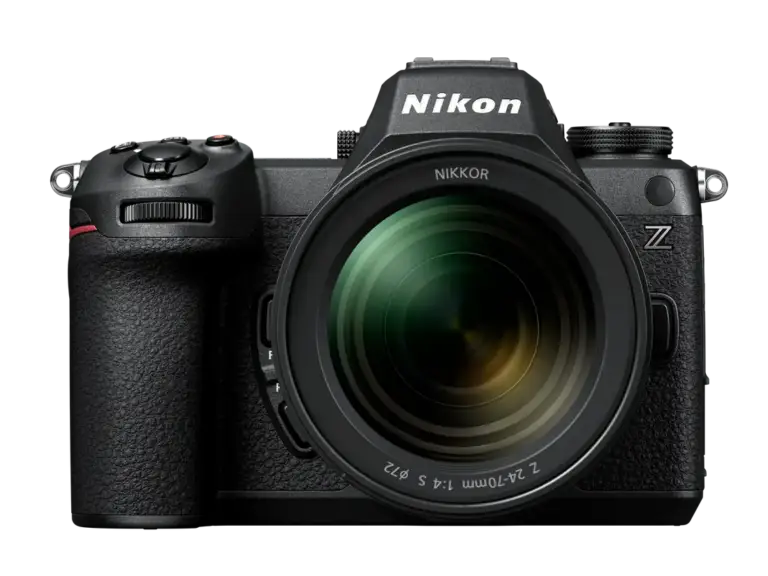
A first camera is usually a camera-and-lens purchase, even when only one box appears in the photograph.
Read the guide
Buying guides
Smart doorbells: power, mounting and recording arrangements
A smart doorbell should be chosen around the entrance and the way you want to use recordings.
Read the guideBuying guides
A tripod that travels: check the complete supported load
A tripod purchase involves the camera, its heaviest intended lens and the head that connects them to the legs.
Read the guideEXPLORE THE DIRECTORY
Related shop profiles

GoPro
GoPro’s UK-facing shop sells cameras, mounts, batteries and other recording accessories.

Insta360
Insta360’s official store has a United Kingdom route showing prices in pounds and offers cameras, microphones and related recording equipment.

Wex Photo Video
Wex Photo Video sells cameras, lenses, video equipment and supporting photographic accessories.