
Buying guides
Smart doorbells: power, mounting and recording arrangements
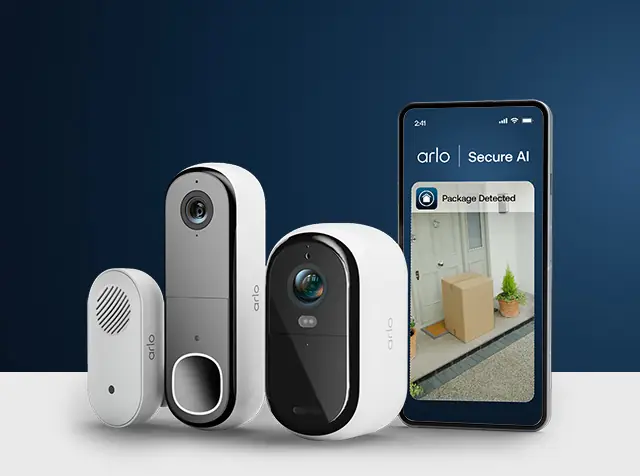
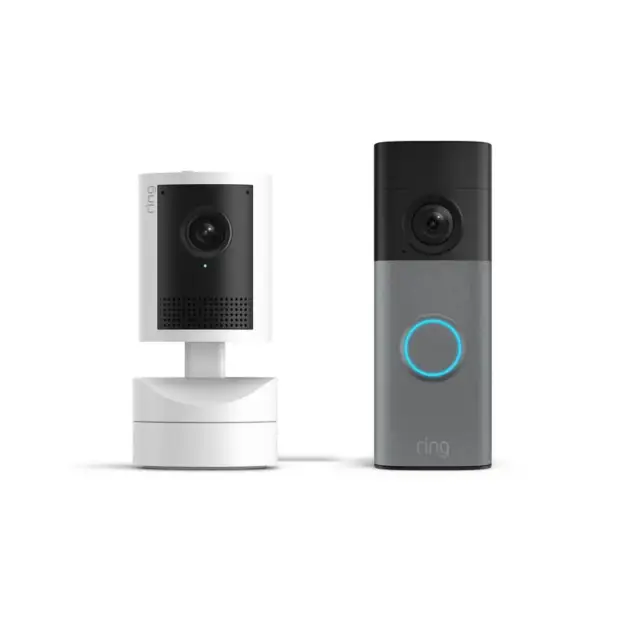
A smart doorbell should be chosen around the entrance and the way you want to use recordings.
Published Information checked
A smart doorbell should be chosen around the entrance and the way you want to use recordings. Start with the existing power arrangement, the available mounting position and the phone or other device that will receive alerts. The camera's headline resolution does not answer those practical questions. Record them before comparing product generations or optional subscription plans.
Choose the power arrangement deliberately
Ring's official range distinguishes battery-powered, plug-in and hardwired products. Those descriptions lead to different installation and charging tasks. Check the exact product's requirements rather than assuming that existing doorbell wiring is suitable. If electrical work or assessment is needed, arrange that with an appropriate professional. Include the installation cost and the ongoing access needed for charging where relevant to the chosen model.
Map the entrance
Photograph the proposed location for your own planning and measure the available surface. Note the door's opening direction and obstacles such as a porch column. Check the dimensions and compatible mounting accessories for the exact doorbell. A wide-angle promotional picture does not demonstrate what a particular location will show. Ask the manufacturer how the proposed position relates to the intended field of view and its installation instructions.
Separate live viewing from saved recordings
List the functions you need and identify which are included with the device and which require an optional service. Read the current plan details, supported devices and recording arrangements directly from the provider. Do not assume that receiving a notification also means a recording will remain available later. If several household members need access, check how supported sharing works and what each person can do.
Check the network and everyday devices
Read the doorbell's network requirements and compare them with the connection available at the entrance. A good connection beside the router does not establish the same experience outside the front door. Check application support for the phones you plan to use. If an indoor chime or existing bell is important, verify compatibility explicitly and include any additional component in the basket.
A household example
Suppose the entrance has no confirmed compatible wiring and the household wants saved event clips. Compare a battery-based candidate with the installation requirements of a wired candidate, then add any selected recording plan separately. Record the charging access needed for the battery model. This makes the ongoing arrangement visible rather than judging the two products only by the initial camera price.
Prepare a complete order
Write down the doorbell model, power accessory, mount, chime and any selected plan. Read the manufacturer's installation and privacy-related product settings before setup, and consider the view of shared or neighbouring areas when choosing a position. Ask about unconfirmed compatibility before purchasing. On arrival, verify the supplied parts and follow the official setup sequence. A useful shortlist explains how the product will be powered, mounted, connected and used; it does not claim that any camera guarantees the outcome of a security incident.
Your comparison worksheet
Keep one short record for each candidate. Resolve the details below from the current listing or a direct supplier answer before treating the options as equivalent. Leave an uncertain point clearly marked rather than filling it with an assumption.
- Power: Exact product requirements and any installer-confirmed existing arrangement
- Position: Mounting space, door movement and the manufacturer's fitting instructions
- Recording: Required functions separated from any optional continuing service
- Connection: Network requirements, supported phones and any compatible indoor chime
- Package: Doorbell, power accessory, mount and selected service recorded separately
Continue with the retailer information
Explore Ring, Arlo, Reolink. These profiles provide a route to the official shops and their published service information. Use the exact product or order details from your worksheet when following those links, and confirm the current selected option before paying.
For more relevant retailers, browse our electronics shops directory. Compare businesses that genuinely serve this purchase, keeping differences in products and shopping arrangements visible rather than treating every retailer as interchangeable.
The official source below provides further product or ordering information. Read the details relevant to your selected item, and retain any supplier answer that materially changes the comparison.
Sources and checks
Continue reading
Buying guides
Action-camera bundles: separate the essentials from spare mounts
Action-camera bundles often look generous because several small accessories appear together.
Read the guide
Buying guides
USB-C charging: compare the port, cable and power supply together
USB-C describes a connector shape, but the purchase usually involves three different products: the device, the charger and the cable.
Read the guide
Buying guides
A router or a mesh kit: map the rooms before buying more Wi-Fi
Poor Wi-Fi in one room does not immediately tell you which product to buy.
Read the guideEXPLORE THE DIRECTORY
Related shop profiles

Ring
Ring’s UK shop sells video doorbells, security cameras and related home-security equipment.

Arlo
Arlo’s UK shop sells security cameras, video doorbells and related home-security equipment.

Reolink
Reolink’s UK-facing shop sells security cameras, video doorbells, recording equipment and related accessories.